GuideBy Rafał Czarnecki4 min read
How to upscale an image with AI (make it sharp and bigger)
In short
Blowing up a small image in a normal editor just makes it blurry. AI upscaling adds real detail as it enlarges. Here is how to upscale an image, step by step.
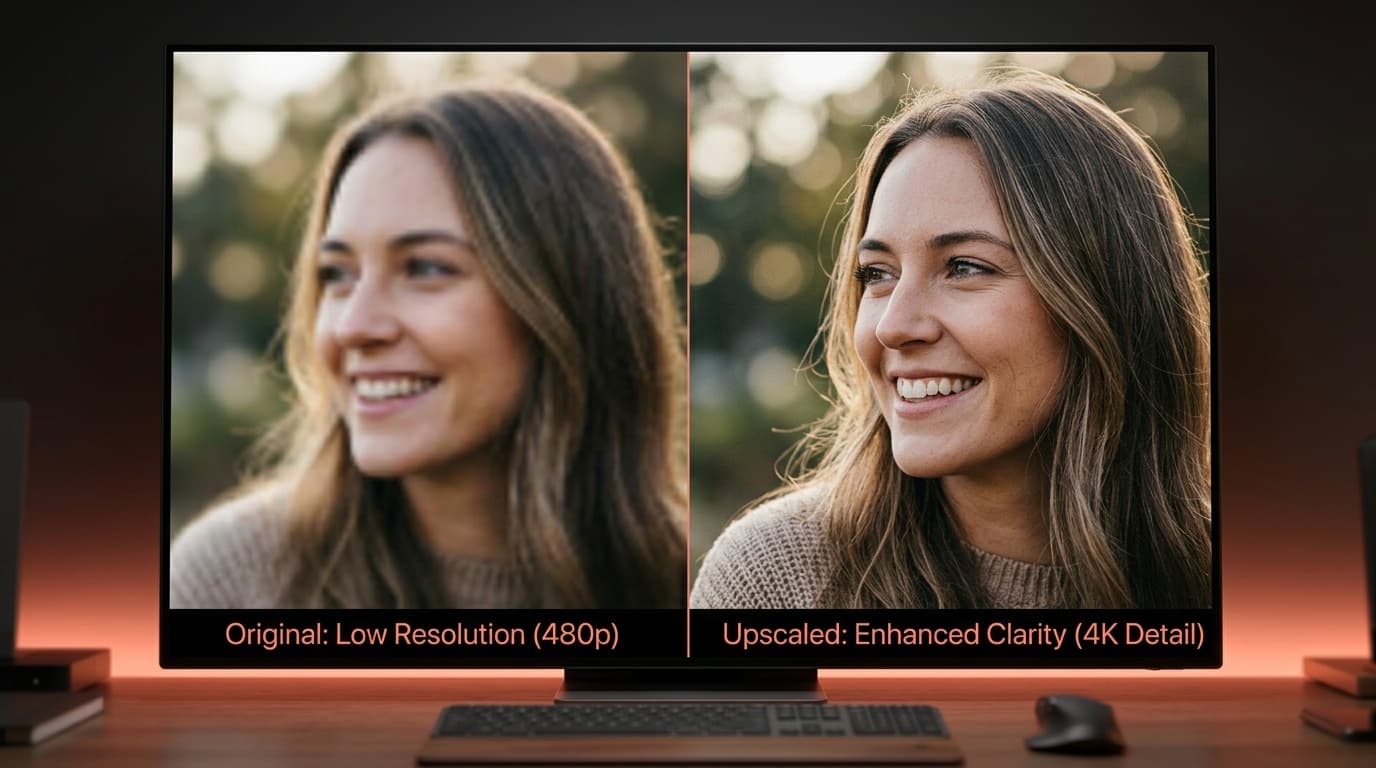
Enlarge a small image in a normal editor and you get a soft, pixelated mess — it only stretches the pixels you already have. AI upscaling is different: it reconstructs detail as it enlarges, so the result is bigger and sharper. Here is how to upscale an image with AI, step by step.
1. Upload the image to enlarge
Drop in the small, low-res or slightly soft image — an old photo, a tiny logo, a product shot, a compressed download. Even a low-quality source has enough for the model to rebuild from.
2. Choose how much to scale
Pick the factor — 2x or 4x are the usual choices. Match it to what you need: a web thumbnail up to a hero image, a small photo up to print size. Bigger factors ask more of the model, so start with what you actually need.
3. Generate and download
The model rebuilds edges, texture and fine detail while it enlarges, then hands back the higher-resolution image. Download it for print, a large banner, a marketplace listing, or restoring an old photo.
Summary
Upscaling with AI is now one upload, a scale factor and a sharper, larger image — not a blurry stretch. In FATTLY you upload the image, pick 2x or 4x and download the result.
Frequently asked questions
How is this different from resizing in an editor?
A normal resize only stretches existing pixels, so it gets blurry. AI upscaling reconstructs detail — edges, texture, fine features — as it enlarges, so the bigger image actually looks sharper.
Can I upscale an old or low-quality photo?
Yes. Old, small or compressed photos are a common use — the model rebuilds detail and reduces the softness, which also helps for restoring memories.
Is it good enough for print?
Often yes. Upscaling a small photo to a higher resolution is exactly what print and large-format need; pick a higher factor for bigger sizes.
Ready to try?
Upscale an image with AI