AI UGC Video Generator
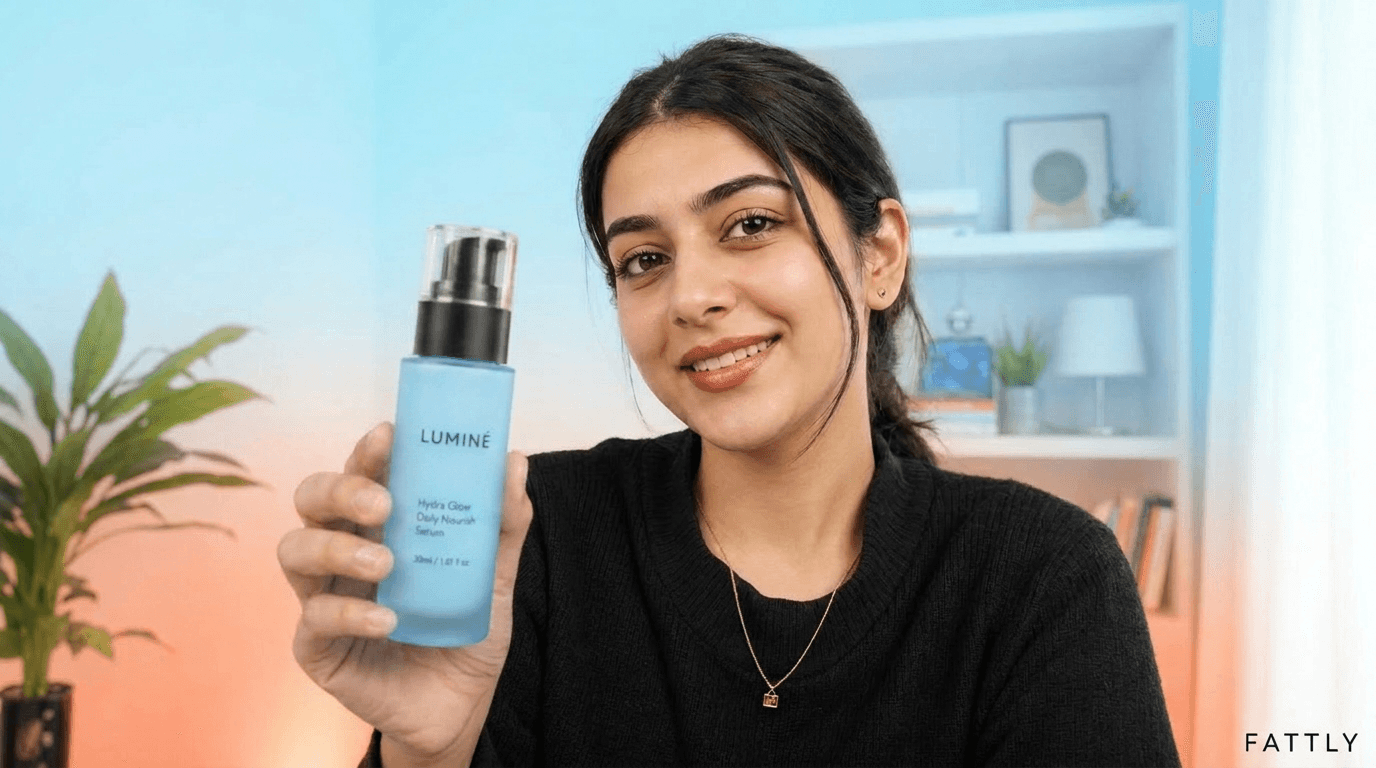
Turn one product photo into a short UGC video ad that looks filmed on a phone. An AI creator holds your product and talks about it in English, with lip movement matched to the words. Don't want a face in the ad? Pick hands with a voiceover, or a top-down unboxing. A clip runs 5 to 10 seconds and is ready in about 2–3 minutes, and the AI writes your script and hooks for free. No casting, no shipping samples to creators, no editing.
What you get in the AI UGC video generator
Three UGC formats
An AI creator talks to camera with your product in hand, hands only with a voice off camera, or a top-down unboxing with an ASMR feel.
English voice with lip-sync
The creator speaks English, Polish, German or Spanish, with lip movement matched to the words. Fattly picks the video model for the language.
14 creators and 14 scenes
Pick a ready-made AI creator or describe your own for 20 credits, then a scene from a kitchen to a car interior. No casting, no samples to ship.
See the frame before you pay
For 20 credits you see the opening frame with your product. Record the video only once it looks right, and those 20 credits come off the price.
How to make a UGC video with AI in 4 steps
- 01
Add a product photo
One phone photo is enough (JPG, PNG or WebP, up to 10 MB): the whole product, a readable label, a plain background. A product page link fills in the photo and name for free.
- 02
Pick the format and creator
A creator talking to camera, hands with a voiceover, or a top-down unboxing. With a creator, you also pick the AI character, the tone (e.g. UGC, Testimonial, Unboxing) and the scene.
- 03
Write what they say
Up to 22 words per clip; in English a clip runs 5 to 10 seconds, depending on the script. Leave it empty and the AI writes it from the product name. 8 hook ideas are free.
- 04
Check the frame, record, make variants
The frame costs 20 credits and the video from it another 130. Then one click starts a version in another language, another tone or 16:9.
See what you can make
Real AI-generated visuals made with Fattly.

How much an AI UGC video costs
| Hooks, script, shortening, product import from a link | 0 credits |
|---|---|
| Your own AI creator from a description | 20 credits |
| Frame preview (comes off the video) | 20 credits |
| Creator video or hands + voiceover, 1 clip (5–10 s) | 150 credits |
| Hands + voiceover in your saved voice | 190 credits |
| UGC video, 2 scenes (up to ~20 s) | 250 credits |
| UGC video, 3 scenes (up to ~30 s) | 350 credits |
| Top-down unboxing, 5–10 s, no voiceover | 42–300 credits |
The 10 free credits you get at sign-up (no card) aren't enough for a frame or a video, but scripts, hooks and product import are free. The smallest pack is 150 credits, exactly one creator video. You only pay for finished generations: no subscription, credits don't expire, and a generation that fails for technical reasons costs nothing. Current prices are on the pricing page.
Frequently asked questions about the AI UGC video generator
What is a UGC ad, and how is it different from a regular ad?
A UGC ad imitates an amateur video: a person holds the product and talks to their phone, with no studio and no announcer voice. A regular ad is a polished, produced spot. In Fattly the creator is an AI character, so you don't need to find anyone or ship them your product.
How does the AI UGC video generator work?
You upload a product photo, choose a format and write the script or leave it to the AI. Fattly builds the opening frame with your product, then records the video with a voice in the language you picked. In English one clip runs 5 to 10 seconds and is ready in about 2–3 minutes; a longer script can become 2 or 3 scenes, up to about 20 or 30 seconds in total. It all runs in the browser.
Can I make UGC ads with AI for free?
Not entirely. Hooks, scripts, shortening and product import are free, and you get 10 credits at sign-up with no card. A creator video costs 150 credits and a top-down unboxing from 42, so you need credits for the video itself. The smallest pack, 150 credits, covers one creator video.
Can I use it without signing up?
No. Generating requires an account with a confirmed email address, which protects the tool from abuse. Signing up is free, needs no card, and you get 10 credits to start.
Can I choose the voice and language?
You choose the language: English, Polish, German or Spanish. The voice is generated together with the picture and lip movement, so there is no separate voice picker; you can play a sample of the English voice before you generate. In “Hands + voiceover” you can also use your own voice, cloned and saved in the Audio tool, for 40 extra credits.
Can I make a UGC ad without a face?
Yes, in two ways. “Hands + voiceover” shows a first-person shot of a hand holding your product, with the voice off camera. “Top-down unboxing” shows hands taking the product out of the box on a desk, with no voiceover.
Can I pick the creator or use my own face?
Pick one of 14 ready-made AI creators, or create your own from a description for 20 credits and reuse it in later ads. You can upload a photo of a real person only if it's you or someone who has agreed to it, and you tick a consent box before generating.
Is there a watermark, and can I run the videos as paid ads?
There's no watermark on the picture; the downloaded file is marked as AI-generated in its name and metadata. You can use the videos commercially, e.g. in paid campaigns on TikTok, Instagram or Facebook. Under our Terms the AI creator must not be presented as a real customer, you label the ad as AI-generated where the law or the platform requires it, and you're responsible for the claims your ad makes.
Guides
Make your first UGC ad today
Create a free account with 10 credits and write your script at no cost. No card, no filming, no editing.